 9make
Make screenshots
9make
Make screenshots
Game Screenshot Maker for App Store & Google Play
Start from a ready-made game template, drop in your real gameplay screenshots and edit the titles, colors and art. Portrait or landscape, all store sizes in one ZIP. Free, no watermark, and your images stay in your browser.
Game screenshot templates
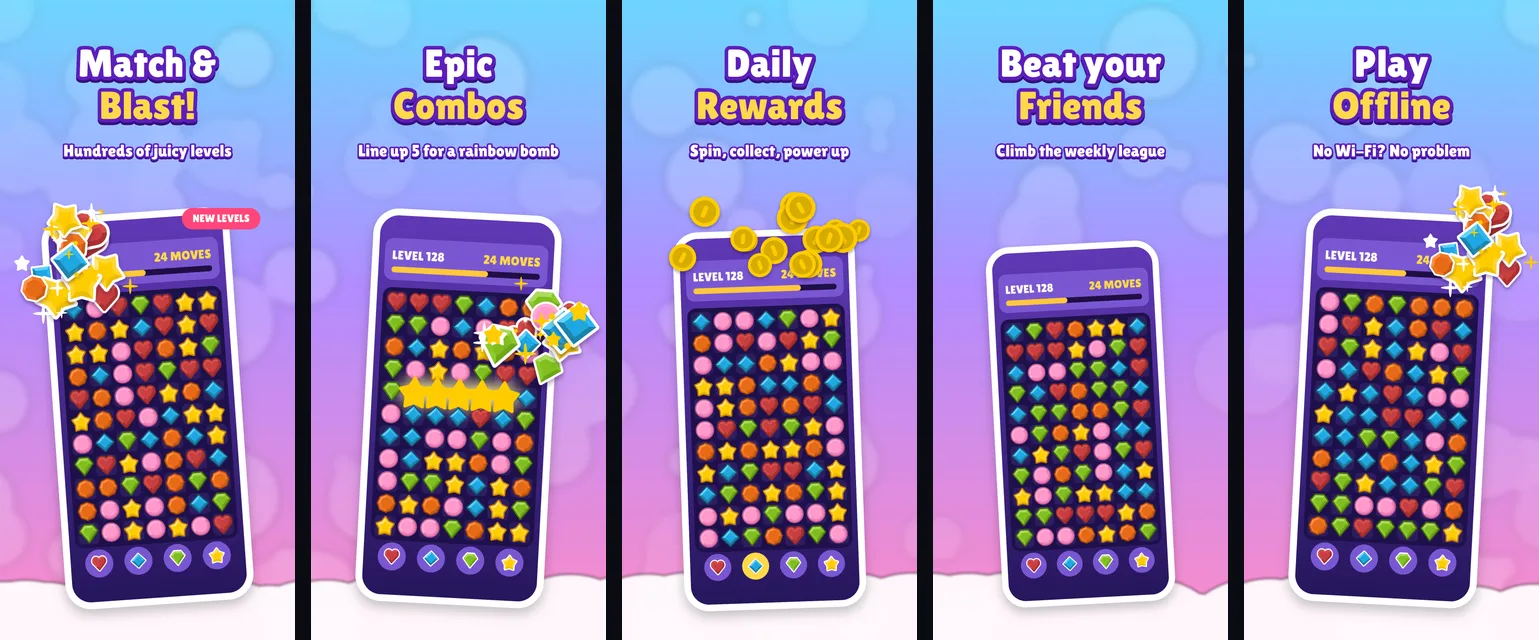
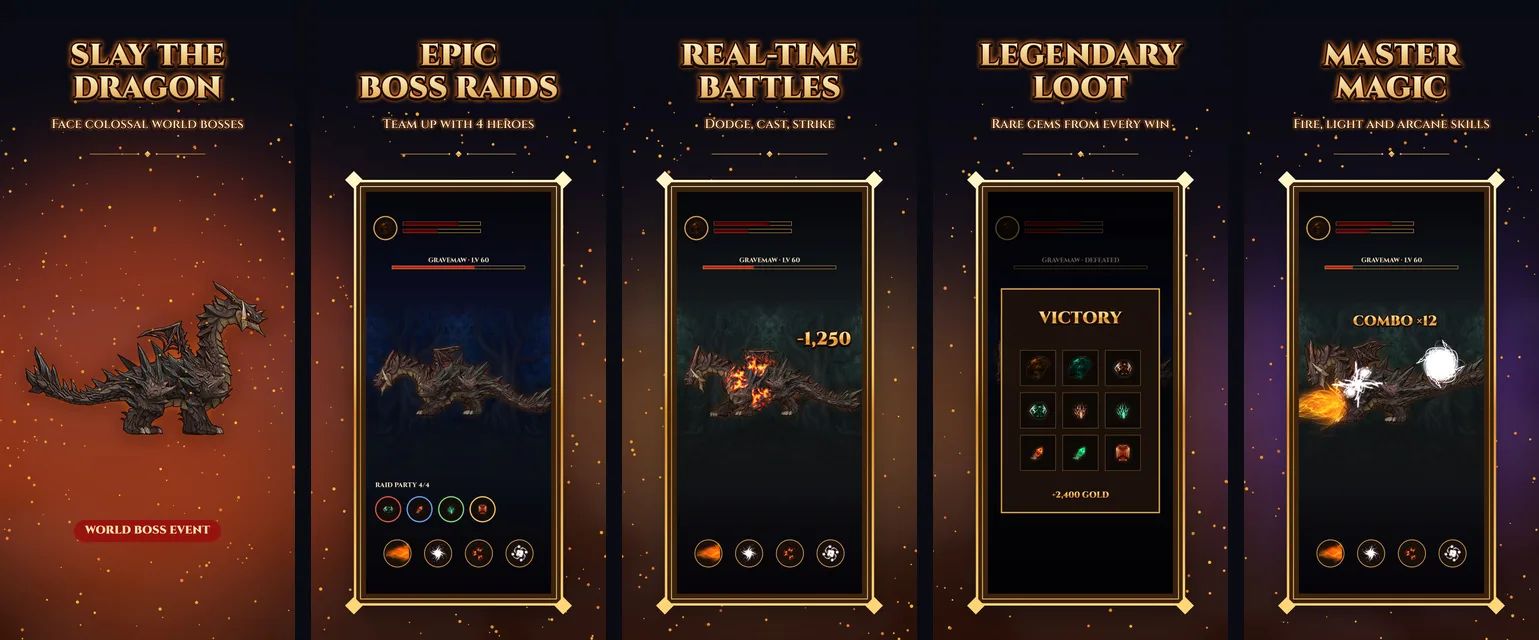
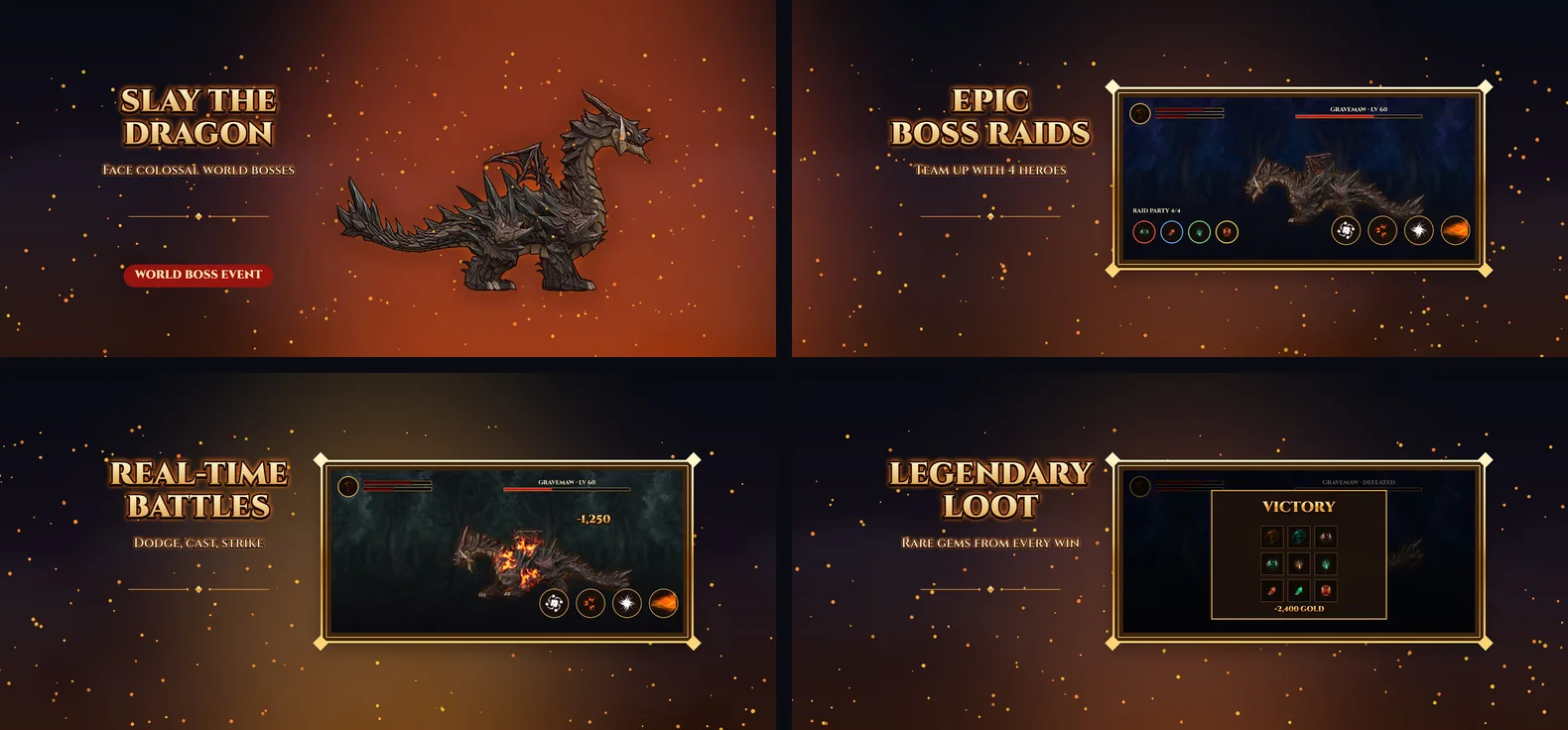
Show real gameplay
Apple expects screenshots to show the app in use. For a game, that means actual gameplay rather than a logo, a menu or pure artwork. The game templates are built around that: each screenshot frames a gameplay capture with a short title, and the first screenshot can carry key art to set the mood.
The sample gameplay in the templates is placeholder art. Replace each one with a capture from your own game and the frames, titles and effects stay in place.
Portrait and landscape
Many games are played sideways. The orientation follows the screenshots you upload: landscape captures give a landscape set, and the export sizes turn with it, so iPhone 6.9″ exports at 2868 × 1320, 6.5″ at 2778 × 1284 and the Google Play phone size at 1920 × 1080. Portrait sets export at 1320 × 2868, 1284 × 2778 and 1080 × 1920. All sizes are listed in the screenshot size guide.
Editable game titles
Game screenshots live on big, loud titles. Every title is editable text with a stroke, a block shadow and a glow, so you can get a chunky candy look or a gold fantasy one. Write the titles in any of the 39 App Store languages and export a folder for each. Non-Latin scripts use your system font, so check those exports.
Feature graphic included
Google Play also wants a 1024 × 500 feature graphic. It is part of the same project and the same ZIP, so your key art and store screenshots stay consistent. Details are in the feature graphic guide.
Frequently asked questions
Do app store game screenshots have to show gameplay?
Apple's guidelines say screenshots should show the app in use, not just a title screen, splash screen or login page, so real gameplay is the safe choice for the first ones. Cinematic key art is fine as a supporting frame, as in the first Dragon Realm screenshot, but keep real gameplay in most of the set.
Can I make landscape game screenshots?
Yes. Upload landscape screenshots and the set switches to landscape. The export sizes turn with it: iPhone 6.9″ becomes 2868 × 1320, 6.5″ becomes 2778 × 1284 and the Google Play phone size becomes 1920 × 1080. The Google Play feature graphic stays 1024 × 500.
Can I change the game title style?
Yes. Titles are normal editable text: change the font, fill, outline stroke, block shadow and glow, and write the title in any of the 39 App Store languages for localized sets.
Is it free, and are my gameplay images uploaded?
Free, with no watermark. Your images stay in your browser and the screenshots are rendered on your device. Exporting the ZIP needs a free Google sign-in.
Does it include the Google Play feature graphic?
Yes. The 1024 × 500 feature graphic is part of the same project and the same ZIP. See the feature graphic guide for the requirements.