 9make
Make screenshots
9make
Make screenshots
Google Play Feature Graphic Maker
1024 × 500 px, JPEG or 24-bit PNG, no alpha. Google requires a feature graphic to publish your store listing. Design it here next to your screenshots and export it at the exact size. Free, no watermark.
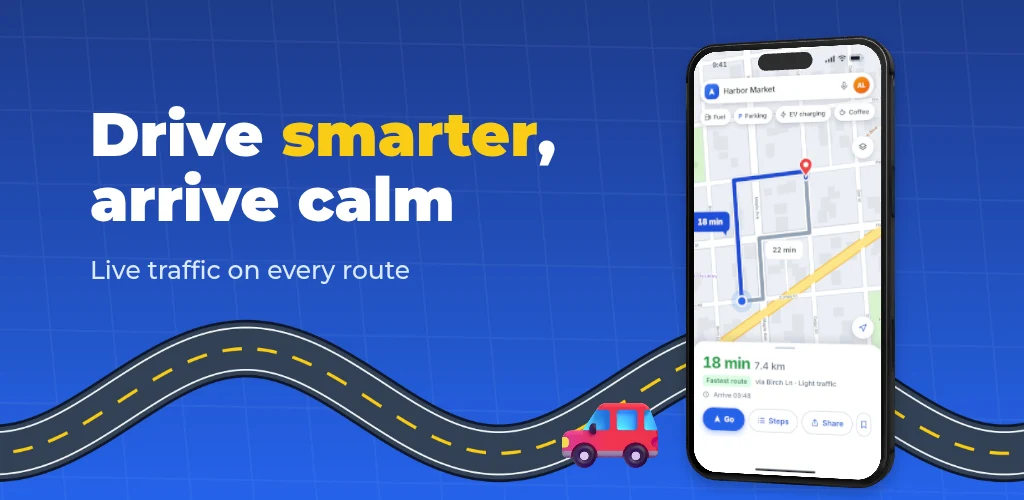
Feature graphic specs
| Property | Requirement |
|---|---|
| Dimensions | 1024 × 500 px |
| Format | JPEG or 24-bit PNG |
| Transparency | No alpha channel |
| Required? | Yes, to publish your store listing |
| Count | One per listing |
Google’s help page does not state a file size limit for the feature graphic, so we do not quote one. It uses the graphic as the cover image for your preview video and in large-format app collections. Source: Play Console Help, Add preview assets.
How it works
- Step 1
Open the screenshot editor
Pick a template; the feature graphic is a board next to your screenshot strip.
- Step 2
Edit the board
Change the headline, colors and imagery. It shares the style of your screenshots.
- Step 3
Export
The ZIP includes play-feature-graphic.png at 1024 × 500. Exports need a free Google sign-in.
Design tips from Google
Keep the focal point centred
Google may crop the graphic or add overlays depending on where it is shown. Keep your logo, app name, slogan and main UI out of the cutoff zones at the edges and put background elements there instead.
Do not repeat the icon
Avoid branding that looks like your app icon, since both appear together. Use the graphic to extend the icon’s branding and show the app experience.
Skip device imagery
Google advises against device imagery because it dates quickly. Show your app’s UI or an illustration without a device frame; in 9make you can delete the phone from the feature board.
Choose a colour that stands out
Avoid pure white, black or dark grey backgrounds, which blend into Google Play’s background. Keep fine details out; they vanish on many phone screens.
No ranking or price words
Do not use words like “Best”, “#1”, “Top”, “New”, “Free”, “Discount” or “Million Downloads”.
Localize it
Google asks you to localize the graphic and its text for different markets. With localization on, 9make exports one graphic per language.
What you get in 9make
Exact size
The board is 1024 × 500, so the export always matches the spec.
No alpha channel
Exported as RGB PNG, which passes the upload check.
Same style as your screenshots
Captions, stickers and backgrounds carry over, so the listing looks like one piece.
One ZIP
The feature graphic downloads with your iPhone and Google Play screenshots.
Why the feature graphic matters
The feature graphic is the wide banner at the top of your Google Play listing. When you add a promo video, it becomes the cover image with a play button over it, and Google also uses it in large-format collections of apps. It is viewed quickly and often small, so one clear message beats a busy composition.
Design it from the same system as your screenshots, with the same background colours and headline font, so the listing reads as one piece and you maintain one project.
Mistakes that get a graphic rejected or ignored
- Exporting a PNG with transparency. Google requires JPEG or 24-bit PNG, so flatten the image onto a solid background.
- Using the wrong size. 1024 × 500 is exact; a 1024 × 512 or a scaled 2048 × 1000 image is not the same.
- Tiny text or fine detail, which disappears on phone screens.
- Key text placed at the edges, where it can be cut off.
- A look that does not match your screenshots and icon.