 9make
Make screenshots
9make
Make screenshots
Free ASO Keyword Tool
Check how popular and how hard an App Store keyword is, see where your app ranks, and find new keyword ideas for any country. Free, and it runs in your browser.
How it works
- Step 1
Enter keywords
Add one or many keywords and pick an App Store country.
- Step 2
Read the scores
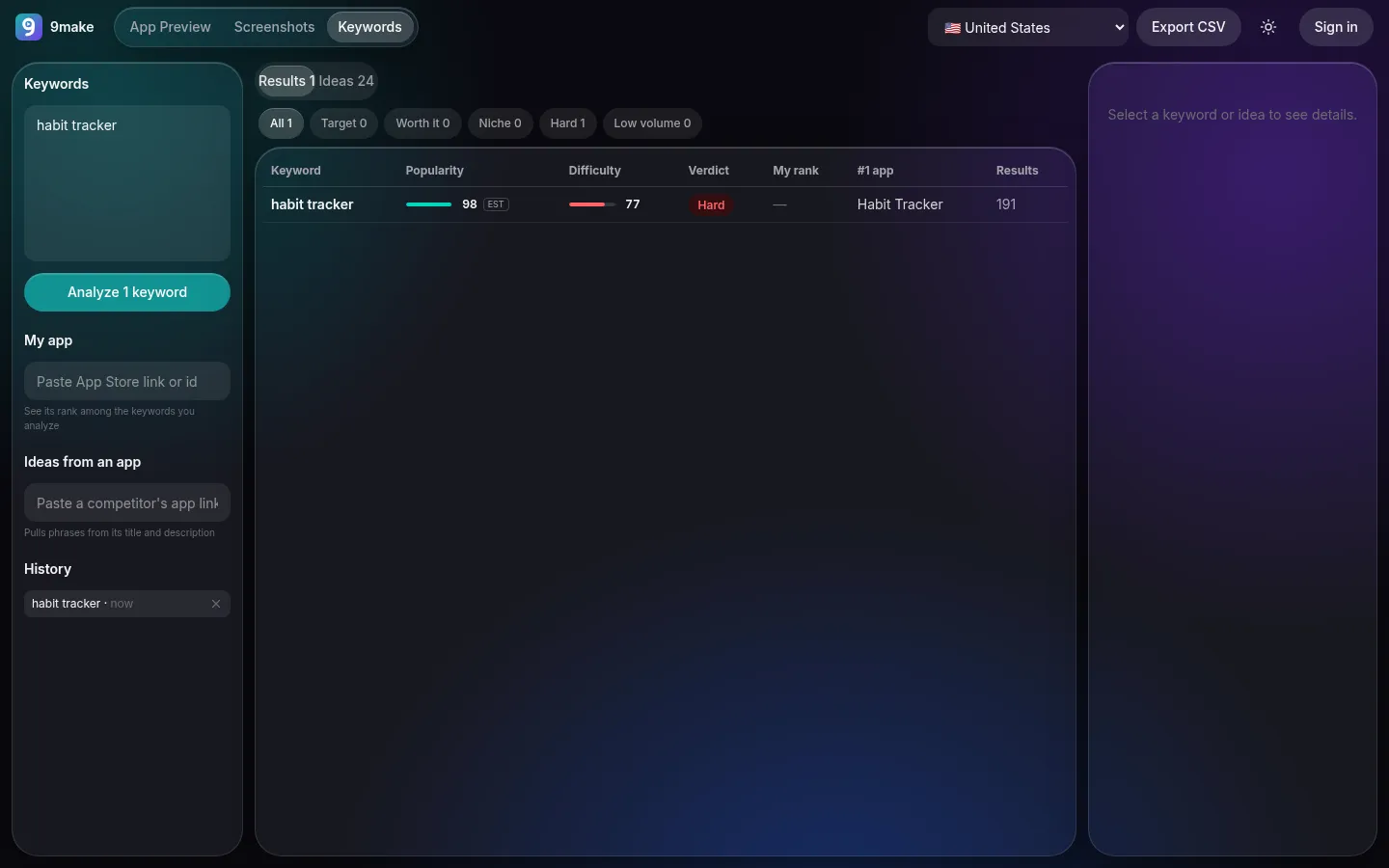
Each keyword gets a popularity score, a difficulty score and a verdict.
- Step 3
Export
Keep the table as a CSV file. The CSV export needs a free Google sign-in.
What popularity and difficulty mean here
9make does not have Apple Search Ads data, and it does not pretend to. Both scores are estimates built from the public App Store search results for the keyword in the country you choose.
Popularity asks how much of a market the keyword looks like. It weighs how many results the search returns, how large the top apps are (rating counts of the top 3 and the median of the top 10), how many top apps put the exact words or phrase in their title, how specific the keyword is, and whether the keyword is just a brand name. It is a relative signal for comparing your own keywords, not a count of searches.
Difficulty asks how hard it is to break into the top results. It averages, over the top 5, top 10 and top 20 apps, how many ratings they have, their average star rating, how many carry all the words in their title, and how many were updated in the last 180 days. The headline number is the top 10 average.
The verdict combines the two: Low volume, Hard, Target, Niche or Worth it. Treat all of it as a way to rank your candidates against each other, then verify with your own analytics.
Using the scores well
Start with the keywords you already think describe your app, plus a handful of ideas from the idea generator. Look for the Target and Niche verdicts first: they mark keywords with enough pull and a field you can realistically enter. Hard keywords can still belong in your title if they define your product, but do not expect to win them quickly.
Run the same keyword in more than one country. A phrase that is crowded in the United States can be wide open in another storefront, and localized metadata is often the cheapest way to grow downloads. Then put your best two or three phrases in your title and subtitle, and echo them in your screenshot captions.
What you get
Your rank
Enter your app and see where it ranks among the keywords you analyze.
Keyword ideas
Get phrases from the titles and descriptions of top apps, combinations with common modifiers, and phrases from a specific app.
App Store countries
Switch between about 40 popular storefronts; the default is the United States.
CSV export
Download keyword, country, popularity, difficulty, verdict, your rank, the number one app and result count.
What to keep in mind
The tool reads public App Store search data, so it can only see what any shopper would see. It cannot tell you true search volume, and difficulty reflects the apps that rank today, not how fast they could react. Use scores to compare your own candidates, and look at the top results for each keyword yourself: if the leading apps are not like yours, the keyword may attract the wrong audience even if the score looks good.